
In partnership with

Welcome to This Week’s AI Roundup!
AI is moving fast—and the next few weeks are packed with big updates, new tools, and smarter features across your favorite apps.
In today’s issue, you’ll see how AI is helping people speak any language, study faster, drive safer, and even understand the stock market with simple questions.
Let’s dive into what’s new this week!
An AI scheduling assistant that lives up to the hype.

Skej is an AI scheduling assistant that works just like a human. You can CC Skej on any email, and watch it book all your meetings. It also handles scheduling, rescheduling, and event reminders.
Imagine life with a 24/7 assistant who responds so naturally, you’ll forget it’s AI.
Smart Scheduling
Skej handles time zones and can scan booking linksCustomizable
Create assistants with their own names and personalities.Flexible
Connect to multiple calendars and email addresses.Works Everywhere
Write to Skej on email, text, WhatsApp, and Slack.
Whether you’re scheduling a quick team call or coordinating a sales pitch across the globe, Skej gets it done fast and effortlessly. You’ll never want to schedule a meeting yourself, ever again.
The best part? You can try Skej for free right now.
This AI Can Understand Over 1,600 Languages

Meta made a new tool that can listen to someone talk in almost any language and turn it into written words. It’s called Omnilingual ASR. ASR just means a computer hears you speak and writes it down.
Most voice tools today only work in big languages like English or Spanish. But millions of people speak other languages—and now this tool can help them too.
It’s like having a super translator that knows even rare languages. Anyone can try it, and people can even help the AI learn their language with just a few examples.
This means more people around the world can use voice tools, captions, and apps—no matter where they’re from.
Read Meta's Full Blog Post Try the Demo on Hugging FaceGoogle Maps Just Got Smarter with Gemini AI
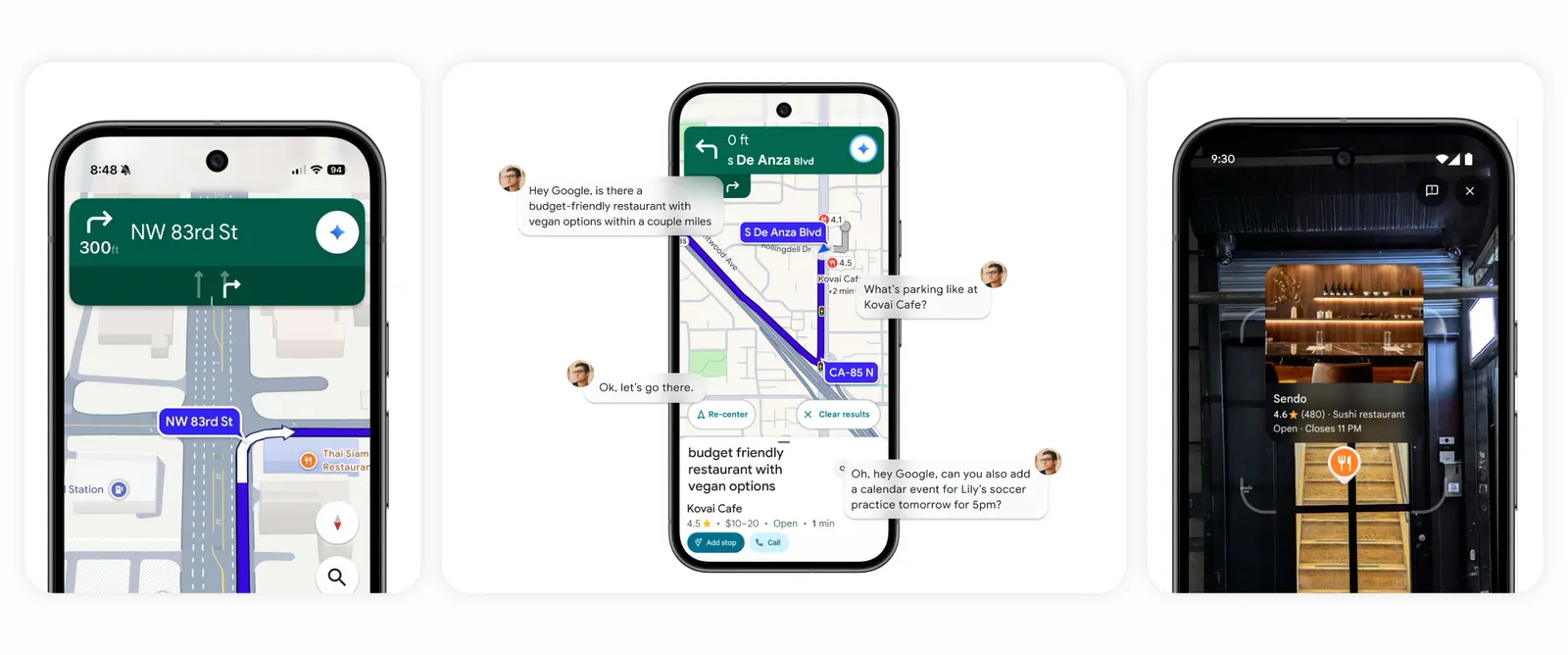
Google Maps now has Gemini, a smart AI helper that makes getting around easier—like having a co-pilot who actually knows what they’re doing.
- Talk to Navigate: Ask for directions, find places, or check traffic—no hands needed.
- Real-World Landmarks: Get directions like "Turn after the gas station" instead of confusing numbers.
- Smart Alerts: Gemini warns you of traffic delays or roadblocks—even when you’re not in navigation mode.
- Explore with Camera: Point your phone at a place and ask questions like "What’s popular here?"
- Add Events: Say "Add soccer practice at 5 PM tomorrow" and Gemini saves it to your calendar.
This update is rolling out now on Android and iOS in the U.S.
Read the Full Google Blog
From Boring to Brilliant: Training Videos Made Simple
Say goodbye to dense, static documents. And say hello to captivating how-to videos for your team using Guidde.
1️⃣ Create in Minutes: Simplify complex tasks into step-by-step guides using AI.
2️⃣ Real-Time Updates: Keep training content fresh and accurate with instant revisions.
3️⃣ Global Accessibility: Share guides in any language effortlessly.
Make training more impactful and inclusive today.
The best part? The browser extension is 100% free.
6 Ways to Use NotebookLM to Master Any Subject
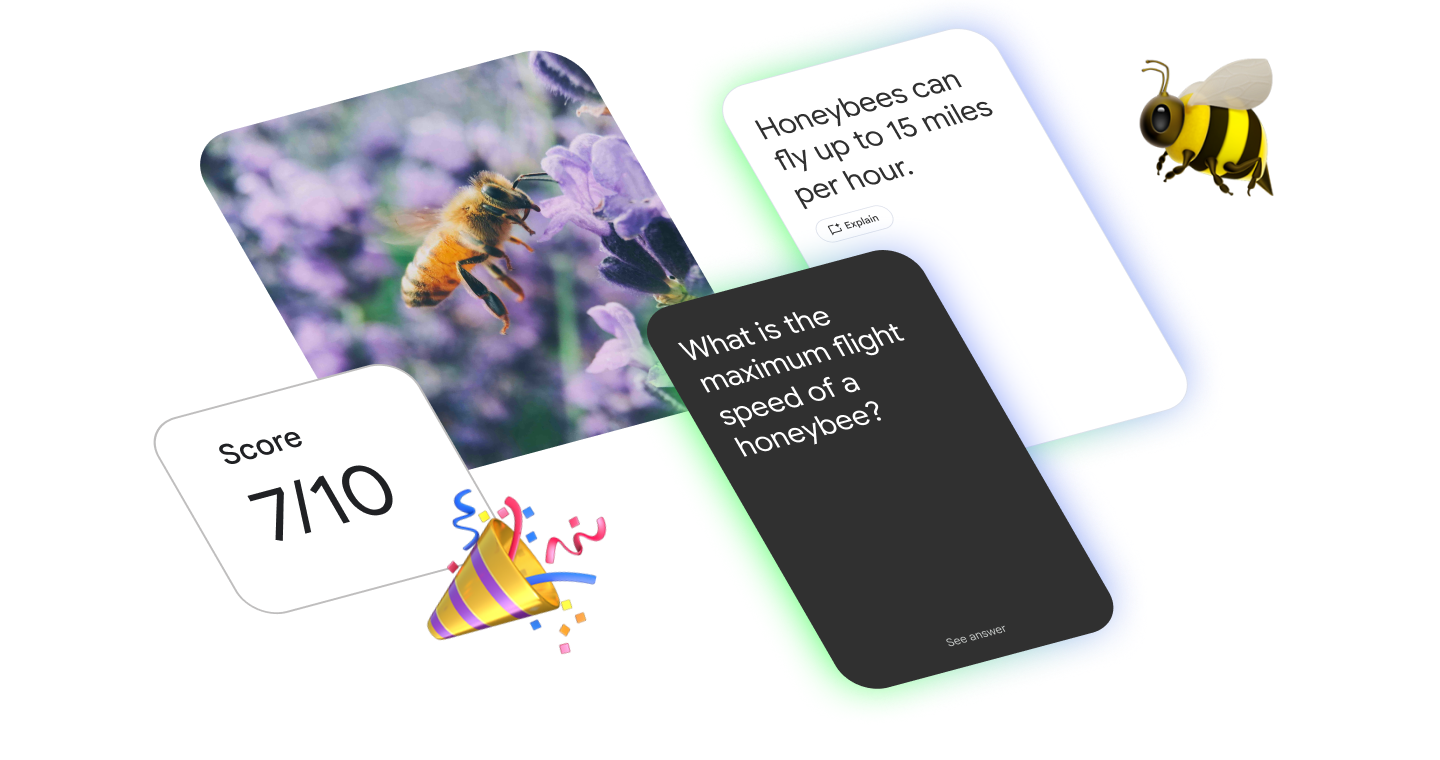
NotebookLM has new tools that help you understand and remember information better. It turns hard ideas into easy videos, study tools, and smart summaries.
- Video Overviews: Turn long readings into fun, illustrated videos that explain key points clearly.
- Flashcards & Quizzes: Quickly create study questions from your notes to test what you know.
- Meeting Prep: Get short video summaries of big documents before your next class or meeting.
- Language Learning: Spot grammar mistakes and new words fast.
- Smart Reports: Make blog posts or essays using AI-powered suggestions based on your topic.
- Community Tips: See what others are doing with NotebookLM and find new ways to use it.
It’s like having a study buddy that makes learning faster, easier, and more fun—perfect for school, research, or writing projects.
Try NotebookLM🎓 Start Your AI Journey — 100% Free Google Certifications

Thousands of learners have already joined — now it’s your turn to begin your AI learning journey with two official Google-certified courses, available completely free for one week only through this scholarship program.
✅ Google AI Essentials
Learn the foundations of Artificial Intelligence in simple, practical steps. Perfect for beginners who want to understand how AI works, explore real-world examples, and start using AI tools confidently in daily life or studies.
✅ Google Prompting Expert
Become a prompt engineering expert! Learn how to write powerful, clear, and effective prompts to get the best results from AI tools like Gemini and ChatGPT. This skill is now essential for students, professionals, and content creators alike.
💰 Scholarship Value: Over $50 USD worth of learning — completely free for this week only!
⏱️ Duration: Each course takes around 7–8 hours to complete (you can finish both within one week).
Don’t miss this limited-time opportunity to build your AI skills and earn Google’s official certification — all for free.
📩 After registering, check your email (and spam folder) for confirmation and course access details.
The Simplest Way to Create and Launch AI Agents and Apps

You know that AI can help you automate your work, but you just don't know how to get started.
With Lindy, you can build AI agents and apps in minutes simply by describing what you want in plain English.
From inbound lead qualification to AI-powered customer support and full-blown apps, Lindy has hundreds of agents that are ready to work for you 24/7/365.
Stop doing repetitive tasks manually. Let Lindy automate workflows, save time, and grow your business.
🎬 How to Create Subtitles from Any Audio or Video Using Google AI Studio
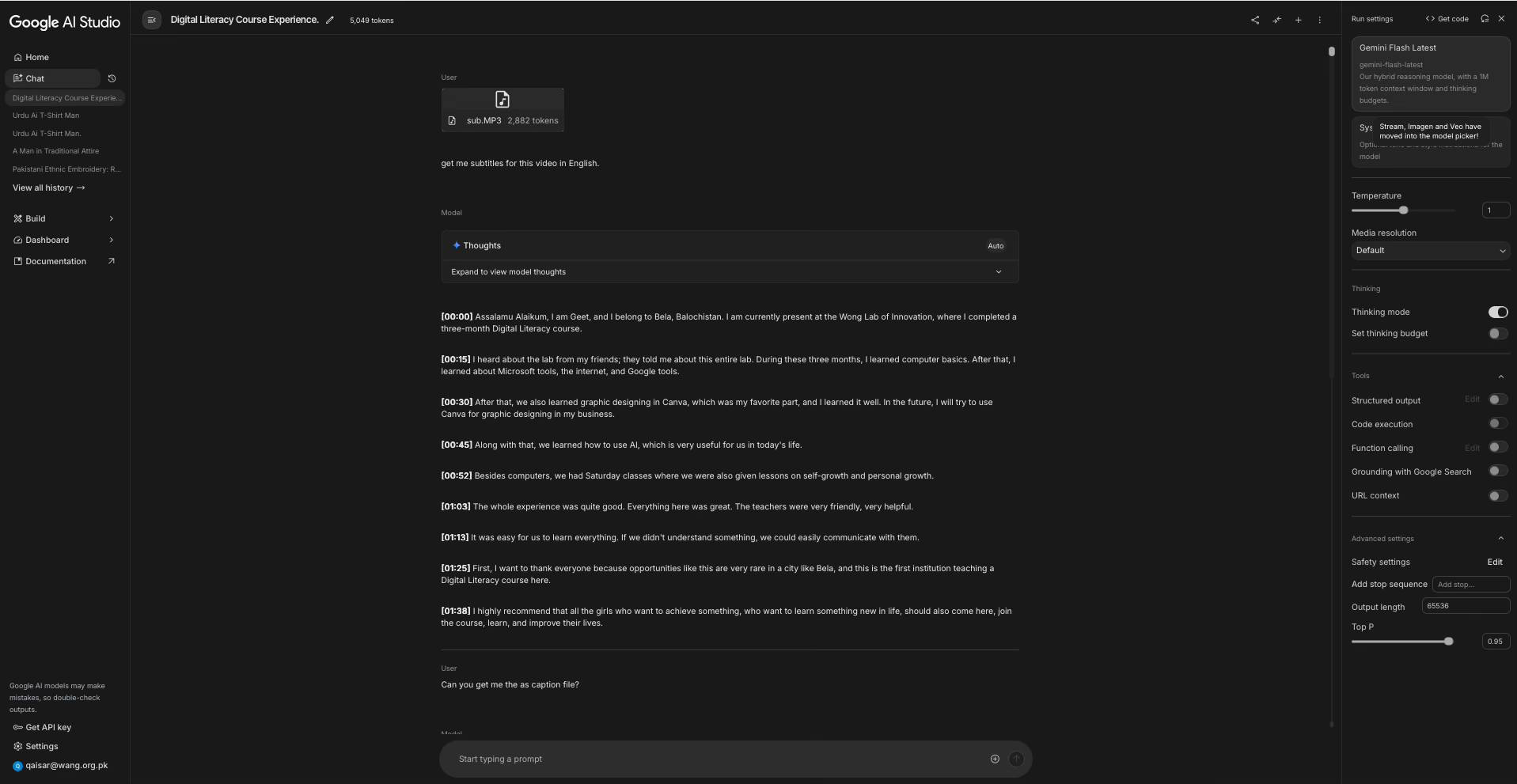
Need English captions for a video in another language? Here’s a fast and easy way using Google’s free AI tool. No need to type everything by hand!
Step-by-Step: Make SRT Captions with AI
- Go to Google AI Studio: Visit aistudio.google.com and log in.
- Upload Audio or Video: Use the "+" button to upload. Audio-only (MP3/WAV) is faster than full video (MP4).
- Paste This Prompt:
Please transcribe the attached audio file. Provide the output in the standard SRT (SubRip) file format. The output must include sequential numbering, precise start and end timestamps (e.g., 00:00:01,000 --> 00:00:03,500), and the transcribed text for each segment. - Generate Captions: Press "Generate." The model will transcribe the file and return full SRT-formatted captions.
- Save Your File: Copy the output, paste into Notepad/TextEdit, and save as
captions.srtusing "All Files (*.*)".
You now have subtitle captions ready to upload to any video editor or player. Fast, simple, and great for any language.
Google Finance Now Uses AI to Explain the Markets
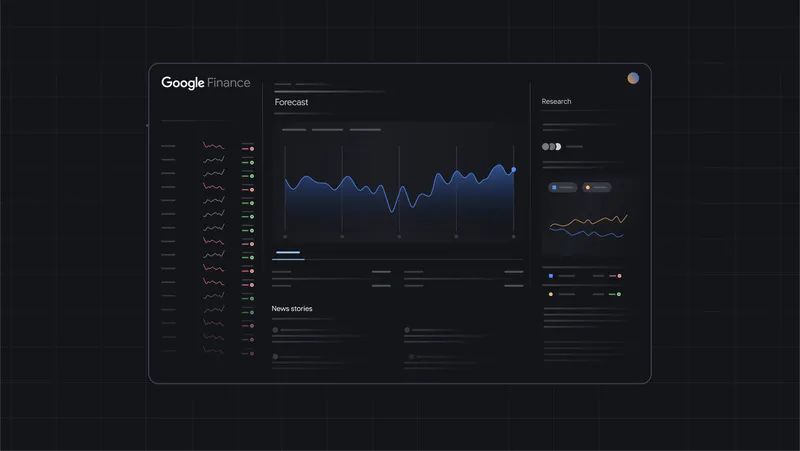
Google Finance has a big upgrade. Now it uses Gemini AI to help explain how the stock market works—in real time and in simple language.
- Ask Anything: You can ask, “Why is the market down today?” and the AI explains it like a helpful teacher.
- Deep Search: Ask tough questions and get answers based on real data and sources—from interest rates to stock patterns.
- Smart Charts: AI helps with technical analysis and shows charts while you ask questions.
- Live Earnings: Track company earnings as they’re announced, without refreshing anything.
- Prediction Markets: See what people think will happen next—based on real-time betting data.
- Now in India: Google Finance is also expanding to new countries, starting with India.
These changes make it easier for anyone to understand the market—even if they’re just getting started.
Read Full Google Finance Blog
