
In partnership with

Welcome to AI Viewer – Special Edition
This isn’t our regular weekly update. Instead, we’ve prepared something different — a complete, easy-to-follow guide to help you create professional AI headshots that make your profile stand out.
Whether you need a new LinkedIn photo, a polished image for your CV, or simply want to refresh your online presence, this edition walks you step by step through everything you need.
Typing is a thing of the past

Typeless turns your raw, unfiltered voice into beautifully polished writing - in real time.
It works like magic, feels like cheating, and allows your thoughts to flow more freely than ever before.
With Typeless, you become more creative. More inspired. And more in-tune with your own ideas.
Your voice is your strength. Typeless turns it into a superpower.
AI Viewer’s Complete Guide to Professional AI Headshots
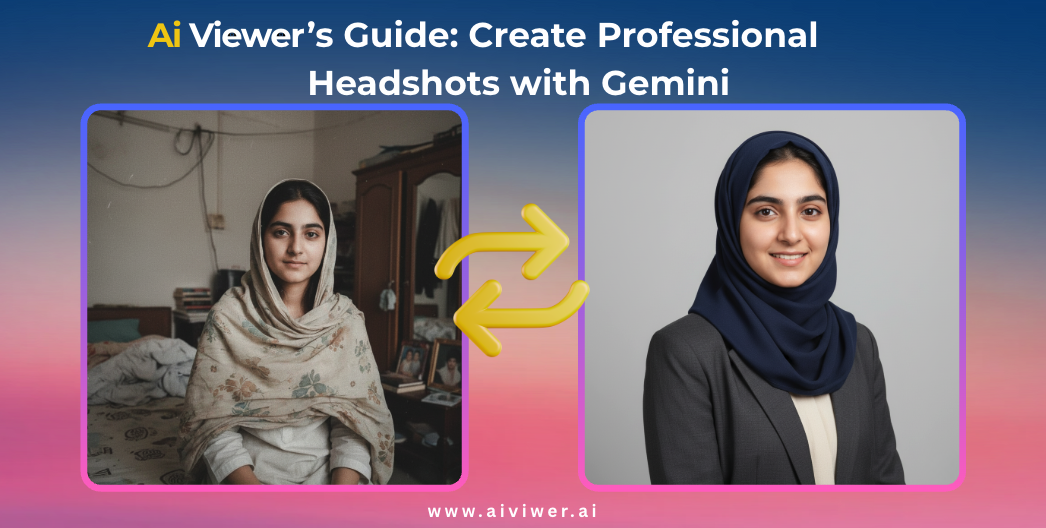
A professional headshot is often the first impression you make online. Whether on LinkedIn, a job application, a business website, or even social media, the right photo communicates confidence, professionalism, and approachability.
Research shows that profiles with high-quality headshots receive up to 14 times more views and significantly higher engagement compared to profiles with casual or outdated photos. In today’s digital-first world, a strong headshot is no longer optional — it’s essential.
The good news? You no longer need an expensive photoshoot. With AI tools like Gemini and Meta AI, you can generate professional-quality headshots in minutes, tailored to your style, industry, and cultural preferences.
In this guide, we’ll walk you step by step through everything you need to know — from timeless headshot principles to AI-powered workflows, ready-to-use prompts, and pro tips to avoid common mistakes.
Essential Principles for Professional AI Headshots
A strong headshot builds credibility, trust, and visibility on platforms like LinkedIn, portfolios, and business websites. Follow these timeless principles to create images that look professional and authentic.
📌 Core Tips
- Frame from the chest up with space above your head.
- Choose a neutral or subtle background — avoid clutter.
- Smile slightly or keep a confident, approachable look.
- Use soft, professional lighting with a natural catchlight in your eyes.
- Dress for your industry: blazers for business, smart casual for creative fields.
- Keep accessories minimal; focus should remain on your face.
⚠️ Common Mistakes to Avoid
- Using old or outdated photos that don’t match your current look.
- Over-editing with filters or unrealistic AI effects.
- Crowded or distracting backgrounds.
- Wearing clothing with busy patterns or distracting logos.
- Heavy glare on glasses or poor facial lighting.
- Choosing expressions that look forced or unapproachable.
💡 Pro Tip: Take multiple variations (different outfits, expressions, and lighting setups). Even with AI, having variety helps you find the most authentic and professional version of yourself.
Step-by-Step: Create Your AI-Powered Headshot
Follow this workflow to go from casual selfies to a professional, polished headshot in minutes.
1. Collect Your Base Photos
Gather 5–10 recent, clear photos of yourself. Aim for chest-up shots with good lighting. These don’t need to be studio-perfect — even smartphone pictures will work as long as your face is visible.
2. Open an AI Tool
Two of the easiest platforms to try are:
• Gemini by Google
• Meta AI
Both let you generate studio-quality portraits from text prompts.
3. Paste a Ready-Made Prompt
Copy one of the prompts from our library (next section) and paste it into the chat. Adjust details such as outfit style, background, or lighting to make it your own.
4. Review and Select the Best Result
AI will generate multiple options. Choose the one that looks most natural and professional. Avoid images that appear over-edited, plastic, or unlike your real self.
5. Save and Use Across Platforms
Download your chosen headshot in high resolution. Use it for LinkedIn, CVs, company websites, or portfolios. Consider saving two versions: one formal, one more approachable.
💡 Pro Tip: Adapt your prompts for culturally sensitive or industry-specific looks — such as formal business wear, modest attire, or creative casual outfits. This ensures your headshot feels natural and aligned with your professional brand.
Prompt Library: Copy & Paste for Perfect AI Headshots
These ready-to-use prompts are organized by purpose. Copy them directly into Gemini or Meta AI and generate your professional headshot in seconds.
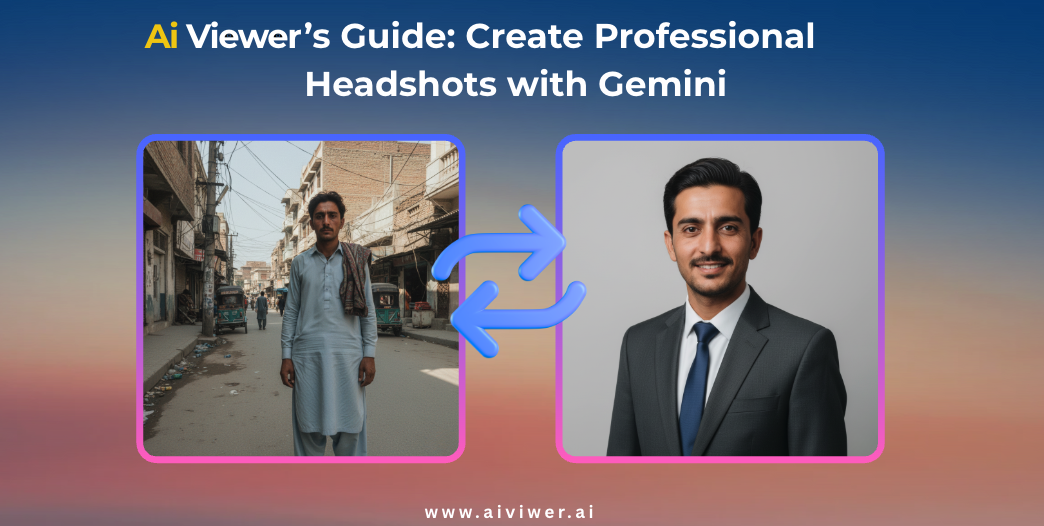
Prompt Example: Generate a business portrait with a clean, neutral background. Center the subject from chest up, giving plenty of headroom, relaxed but polished hairstyle, and a confident, friendly pose.
Best for LinkedIn
Create a professional LinkedIn headshot, chest up, neutral gray background, studio lighting, confident smile, wearing a smart blazer.
Generate a modern LinkedIn profile photo: centered chest-up frame, clean background, neat hairstyle, approachable yet professional expression.
Best for CV / Resume
Generate a resume photo: neutral white background, chest-up frame, soft professional lighting, direct gaze, clean attire.
Create a CV headshot: simple neutral background, formal outfit, confident yet approachable look, cropped from chest up.
Culturally Sensitive Styles
Create a professional headshot with modest attire and head covering (e.g., hijab), neutral solid background, chest-up frame, confident and natural expression.
Generate a business portrait with a neatly styled dupatta, subtle professional background, soft lighting, chest-up crop, and approachable demeanor.
Produce a culturally respectful professional headshot, chest up, neutral backdrop, modest outfit, and soft but professional lighting.
Creative Poses
Create a professional side-profile headshot with clean background, natural lighting, and polished hairstyle, suitable for business profiles.
Generate a chest-up photo with natural pose, soft smile, slight tilt for a modern but professional look, with neutral background.

