
Meet Claude Cowork: Your New AI Coworker on Mac
Claude Cowork is a smart new feature that lets Claude do more than just chat. It can now read, organize, and even create files right inside a folder on your Mac. You tell it what to do—and it gets to work like a helpful assistant!
What Can Claude Cowork Do?
Claude Cowork is only for Claude Max users on macOS right now. It turns Claude into a real helper, not just a chatbot. You pick a folder, and Claude can work with anything inside it. It’s like giving Claude a digital office on your computer!
Example: Imagine you drop a bunch of receipts, notes, and screenshots into a folder. Claude can turn them into a clean expense report—no dragging or copying needed.
How Does It Work?
- You choose a folder on your computer.
- You tell Claude what to do (like “summarize these notes” or “clean up my Downloads”).
- Claude makes a plan and does the steps one by one—checking with you when needed.
It’s like having a personal assistant who knows exactly where your stuff is.
What Tasks Can It Help With?
- Reorganizing messy folders (renaming, sorting)
- Creating spreadsheets from random info
- Turning rough notes into reports or slides
It can also use Claude’s other tools—like connectors for Google Drive or a browser helper in Chrome.
Why It’s Different From Regular Chat
- Plans tasks on its own
- Works through multiple steps automatically
- Keeps files updated without you copying things back and forth
Think of it like moving from texting with someone to having them right there helping hands-on.
Safety and Control
You stay in charge. Claude only works in the folder you pick. It checks with you before doing anything big, like deleting files.
Because Claude can make real changes, Anthropic (Claude’s creator) gives extra safety advice, and they’re still testing this as a “research preview.”
Right now, it’s only for Claude Max users on Mac, but more access is coming soon.
Source: Claude Blog
Read More on Claude.com🎥 Watch Claude Cowork in Action
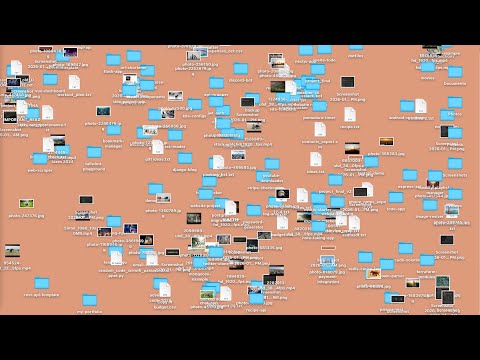
This video shows how Claude Cowork works step by step—from choosing a folder to creating files automatically.
Apple Will Use Google’s AI to Power Future Siri
Apple just made a big move: it’s teaming up with Google to power the brains behind its future AI features. New Apple Intelligence tools—including a smarter Siri—will run on top of Google’s Gemini AI models and Google Cloud.
It’s like Apple built the car, but Google is now providing the engine.
This means Apple’s own AI system (called “Apple Foundation Models”) will actually use Google’s tech under the hood. Apple says privacy is still top priority—most AI features will run directly on your device or on Apple’s private servers.
Still, this gives Google an even bigger role in the world of AI. It now powers Android, Chrome, Gemini, and part of Apple’s AI too. Some experts worry this makes Google’s influence even stronger across tech.
Source: Google News via X
Read More on X🍌 Urdu PDF: Nano Banana Image Prompts Explained
This free Urdu-language PDF is your complete guide to creating fun and unique Nano Banana images using AI. Every prompt is clearly written and explained—perfect for beginners who want to explore AI art with zero guesswork.
Whether you're using Midjourney or another image AI, these prompts will help you turn ideas into creative banana-style masterpieces in seconds.
What you’ll get:
- 100+ Nano Banana prompts in Urdu
- Visual examples and variations
- Step-by-step prompt writing tips
📥 Download the PDF using the link below:
Download Urdu Nano Banana Guide
🎓 Learn AI for Free — From Oxford & Google
🎓 Free AI Course from Oxford University
Oxford, in partnership with UNESCO, is offering a free online AI course ideal for people in public service, governance, or digital transformation roles.
- Duration: 12 hours (self-paced)
- Format: 100% online
- Language: English
- Cost: Free (UNESCO funded)
- Certificate: Oxford Business School Digital Certificate
🎓 Google Scholarships — 19 Professional Certificates
Thousands of Aiviewer readers have received Google Professional Certificate scholarships, now expanded to 19 global programs!
These are official Google certificates delivered through Coursera and accepted worldwide.
📚 Courses Available:
- AI Essentials
- Prompting Essentials
- Data Analytics
- Cybersecurity
- UX Design
- IT Support
- Digital Marketing
- Business Intelligence
- Job Search with AI
- Python Automation
- Networking & Security
- ...and more
🔔 Already Applied? Check your email—many users now have full 1-month access. Try to complete as many courses as possible!
These free learning opportunities are just for newsletter subscribers — use them to level up your AI skills today!
