
In partnership with

Weekend Edition — Smarter Tools, Bigger Opportunities ⚙️
Welcome to this week’s AI Viewer Weekend Edition — a power-packed roundup of the latest tools and updates transforming how you work, learn, and create. This issue dives into how AI is reshaping productivity, careers, and creativity across platforms.
Discover how Microsoft Copilot’s new App Builder and Workflow Agents let you build powerful tools without writing code, while Gemini’s career suite helps refine your CV and ace interviews with real-time AI feedback. Explore Google’s new certifications to level up your AI skills, and learn how Comet Browser rewards you for inviting friends and mastering smarter browsing. Plus, see how OpenAI’s Sora 2 update brings your stories to life with customizable characters and cinematic video creation.
The AI Viewer Team is also preparing exciting new additions — including interactive reader showcases and AI tool challenges to help you explore more, learn faster, and build smarter. We’d love to hear from you — what topics or features should we spotlight next?
💬 Reply to this email and share your thoughts — your feedback shapes every edition!
– The AI Viewer Team
Effortless Tutorial Video Creation with Guidde

Transform your team’s static training materials into dynamic, engaging video guides with Guidde.
Here’s what you’ll love about Guidde:
1️⃣ Easy to Create: Turn PDFs or manuals into stunning video tutorials with a single click.
2️⃣ Easy to Update: Update video content in seconds to keep your training materials relevant.
3️⃣ Easy to Localize: Generate multilingual guides to ensure accessibility for global teams.
Empower your teammates with interactive learning.
And the best part? The browser extension is 100% free.
Microsoft 365 Copilot Now Lets You Build Apps & Automate Workflows
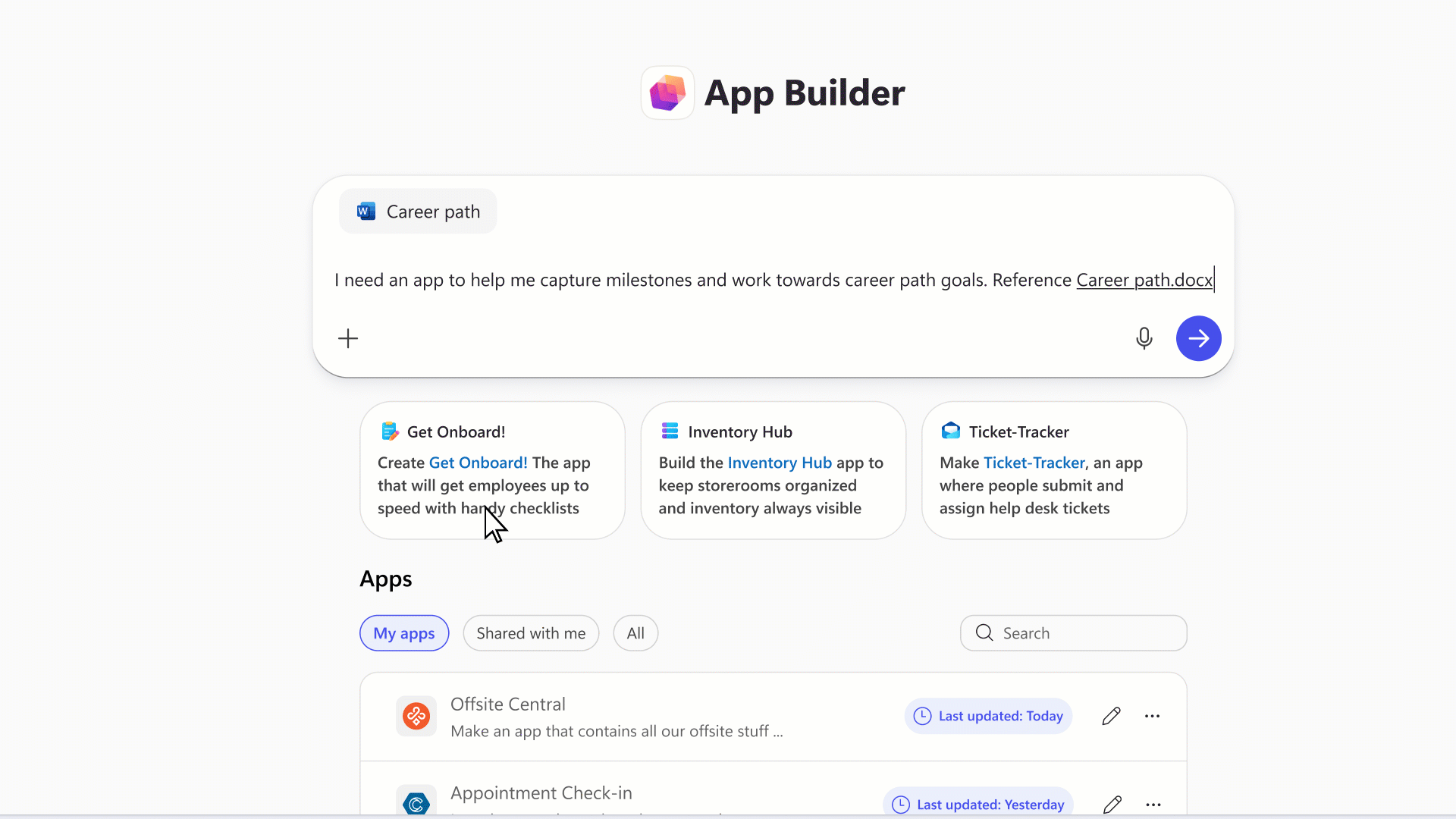
In our previous update, we explored how Google AI Studio makes app creation accessible to everyone — and now, Microsoft Copilot is joining the race with a similar leap forward. The latest Microsoft 365 Copilot update introduces **App Builder** and **Workflows**, powerful tools that let users build, automate, and personalize their work — all through natural language.
🚀 App Builder: Create Custom Apps in Minutes
Employees can now create interactive apps like dashboards, calculators, or trackers — directly inside Microsoft 365 Copilot. Just describe what you need, and Copilot will generate a working app that you can edit, link, and share across your documents or Teams.
Try App Builder · Learn More · Watch Spotlight
⚙️ Workflows Agent: Automate Everything
Imagine saying, “When I get a client email, create a task in Planner and notify my team on Teams” — and it just happens. The new **Workflows Agent** connects Outlook, Teams, SharePoint, and Planner, turning text instructions into end-to-end automations.
Try Workflows · Docs · Spotlight
🧠 Copilot Studio: Build Your Own AI Agents
For teams and organizations, Copilot Studio lets you create custom AI agents that can answer FAQs, summarize files, and handle internal workflows — all built securely on Microsoft 365 data.
These features are part of Microsoft’s Frontier Program and available for early access through enterprise and education accounts. Admins can manage access, data usage, and sharing permissions directly from the Microsoft 365 admin center.
📚 Quick Links
- Microsoft 365 Copilot Overview
- Try Copilot Chat
- Frontier Program Details
- Build Your Own Agent Guide
- Copilot Support
Related posts: Copilot Studio: September Updates · Agent Mode Overview · Empower Your Workforce
💡 AI Viewer Insight: Following Google’s AI Studio launch, Microsoft’s Copilot is now entering the no-code creation space — making workplace automation and app-building accessible to anyone who can describe what they need.
A Framework for Smarter Voice AI Decisions

Deploying Voice AI doesn’t have to rely on guesswork.
This guide introduces the BELL Framework — a structured approach used by enterprises to reduce risk, validate logic, optimize latency, and ensure reliable performance across every call flow.
Learn how a lifecycle approach helps teams deploy faster, improve accuracy, and maintain predictable operations at scale.
🎬 Sora 2 Update — Create, Customize & Star in Your Own AI Videos

OpenAI has expanded its Sora platform and the Sora 2 mobile app with new creative capabilities that blur the line between human and AI storytelling. The latest release introduces character creation and cameo generation, enabling users to turn any person or object from a video into a reusable digital character.
These unique, non-human characters can star in new AI-generated videos just like real people — opening endless possibilities for short films, social content, and brand storytelling. With one-tap customization, creators can now build entire character universes within Sora, combining realism with creativity.
The update also marks the official rollout of Sora 2 for iOS, offering mobile-first tools for creating, editing, and sharing generative videos directly from your phone. The app’s interface now supports faster rendering, smoother scene transitions, and integrated character management for consistent storytelling.
🎯 Why it matters: These features transform Sora into a next-gen video studio — empowering creators to produce character-driven stories, animated cameos, and cinematic content in minutes.
Source: OpenAI | Try on Sora for iOS
Unlocking Career Success: Gemini’s AI Tools for CV Crafting and Interview Prep
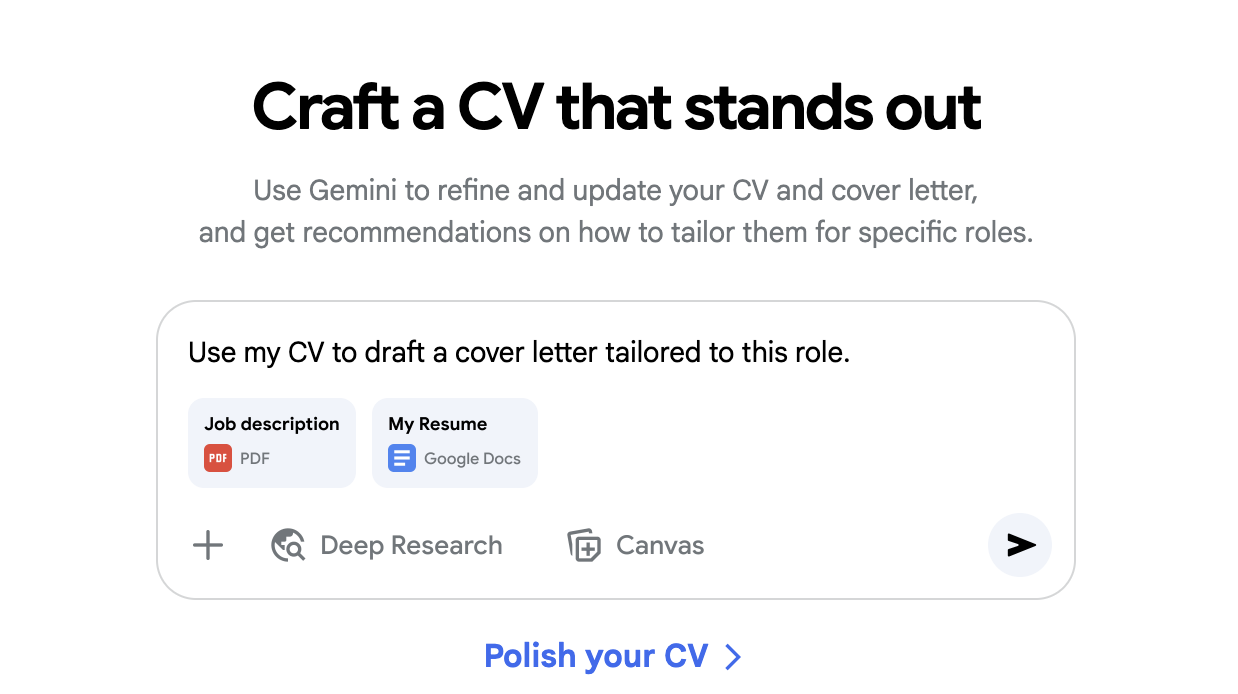
Searching for your dream role? Gemini’s career suite helps you shine — from crafting a professional CV to rehearsing your interview with AI feedback. Whether you’re a student, a job seeker, or a professional aiming for a promotion, Gemini makes your career journey smoother and smarter.
📄 Craft Your CV with Confidence
Upload your resume and let Gemini’s assistant analyze and optimize it instantly. You’ll receive precise recommendations on layout, tone, and phrasing — highlighting achievements that match your target job. Gemini also suggests powerful verbs, measurable results, and formatting improvements that make your CV recruiter-ready in minutes.
🎯 Practice Smarter with AI-Powered Interviews
Gemini’s mock interview mode now supports Vision feedback — meaning it can “see” you through your webcam (with permission) and give you insights on your body language, posture, and facial expressions. After each answer, Gemini evaluates your articulation, tone, and confidence, then provides a report showing what went well and where to improve.
🧠 Try Gemini Vision During Practice
- Turn on your camera inside Gemini.
- Say: “I’d like to practice an interview — please analyze my tone, eye contact, and confidence.”
- Answer naturally while Gemini observes your body language and voice cadence.
- Review instant feedback — clear, supportive, and personalized.
💬 Smart Interview Prompts to Try in Gemini
- Prompt 1: “Suppose you’re interviewing me for the position of Project Associate. Please ask 5 realistic questions, then give me feedback on my answers, articulation, and body language.”
- Prompt 2: “Ask me 3 competency-based questions for a Marketing Specialist role and score each response from 1–10, explaining strengths and areas for improvement.”
- Prompt 3: “Play the role of an HR interviewer. Conduct a mock interview for a Data Analyst job and provide a short written report on clarity, confidence, and use of examples.”
- Prompt 4: “I’ll answer your questions on camera. Please assess my eye contact, tone, and overall confidence using Gemini Vision feedback.”
💡 Bonus: 4 Prompts for Smarter CVs & Cover Letters
- Prompt 1: “Review my CV for clarity and impact. Suggest stronger verbs and highlight measurable achievements.”
- Prompt 2: “Rewrite my cover letter to sound confident and authentic. Focus on aligning it with the attached job posting.”
- Prompt 3: “Summarize my experience into two lines suitable for a LinkedIn headline or resume summary.”
- Prompt 4: “Generate 3 bullet points describing leadership and teamwork skills based on this resume.”
Try these inside Gemini to elevate your next job application — from your CV to your on-camera presence. Every practice session gets you closer to your next big opportunity.
🎓 Free Google Professional Courses — AI Viewer Scholarship

Friends, you can now access 11 world-class professional courses from Google completely free — no fees, no credit card required. This offer is brought to you as part of the AI Viewer Scholarship.
These courses are designed to make you job-ready and provide Google-verified certificates recognized by employers worldwide.
- Google Data Analytics Professional Certificate
- Google Project Management Professional Certificate
- Google UX Design Professional Certificate
- Google Cybersecurity Professional Certificate
- Google Digital Marketing & E-commerce Certificate
- Google IT Support Certificate
- Google IT Automation with Python Certificate
- Google Advanced Data Analytics Certificate
- Google Business Intelligence Certificate
- Google AI Essentials Certificate
- Google Prompt Engineering Certificate
📋 How to Apply:
- Visit this form: Google Scholarship Form
- Enter your name, city, and email address.
- Within a few days, you will receive an official invite from Coursera.
- You’ll get one month of free access to all Google courses.
- Complete the course(s) and earn your Google-verified certificates.
Note: The earlier you apply, the sooner you’ll get access. Don’t miss this valuable opportunity to grow your career with globally recognized Google certifications!
The Simplest Way To Create and Launch AI Agents

Imagine if ChatGPT, Zapier, and Webflow all had a baby. That's Lindy.
With Lindy, you can build AI agents and apps in minutes simply by describing what you want in plain English.
From inbound lead qualification to AI-powered customer support and full-blown apps, Lindy has hundreds of agents that are ready to work for you 24/7/365.
Stop doing repetitive tasks manually. Let Lindy automate workflows, save time, and grow your business.
💰 Earn $10 for Every Friend You Invite — Perplexity Comet Browser
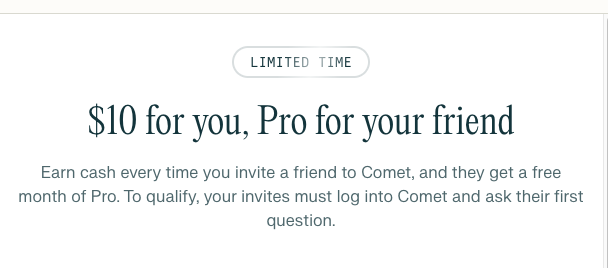
Perplexity has launched a limited-time referral program for its Comet Browser. You can earn $10 USD for every friend who downloads and uses Comet through your invite link.
🧭 Step-by-Step Guide
- Download Comet Browser from Perplexity’s official site.
- After installation, create a new account — this offer is valid for new users only.
- Open the browser and visit or search any website.
- Open a new tab and click on “Invite Friends.”
- Copy your referral link and share it with friends.
- Only friends who sign up for the first time using your link will count as valid referrals.
💵 Payments and Terms
- You must have a Dub account to receive payments.
- Payments are processed via Stripe (Note: Stripe is not available in Pakistan).
- You can earn up to $10 per successful referral, but not all referrals may qualify for payment.
- This is a limited-time promotional offer — act fast and share responsibly.
🔗 Download Links
🎓 If you are a student:
https://pplx.ai/qaisar-roonjha
💼 If you are not a student:
https://pplx.ai/qroonjha61633
⚠️ Note: This is a limited-time offer. Rewards are not guaranteed for every referral, and payments depend on Stripe’s availability in your country.
What Came from Google This Week
Here’s what Google rolled out this week across its AI ecosystem — from new marketing tools to expanded model credits. These updates show how Google continues to expand its creative, coding, and productivity capabilities across platforms.
- 🚀 Google Labs launched a new experiment called Pomelli — an AI marketing assistant built to help small and medium-sized businesses connect with audiences faster.
- 📊 Gemini App now supports generating full, exportable slide decks directly from prompts — turning notes and outlines into ready-to-present visuals.
- 💻 Gemini CLI just gained a new Jules Agent extension, designed to speed up creative coding and prototype development inside the command line.
- 🧠 Google AI Studio introduced logs and datasets — giving developers deeper insight into app performance, latency, and behavior during builds.
- 📚 NotebookLM chat now supports the full 1 million token context window — allowing larger document sets and deeper research analysis in a single session.
- 🌊 Flow by Google expanded its free tier from 100 to 180 credits — letting creators run more projects without added cost.
💡 AI Viewer Insight: From creative marketing to multimodal productivity, Google continues to unify its AI tools — making it easier for developers, educators, and creators to build, test, and share with less friction.

