
In partnership with

Dear friends,
AI is evolving fast—and this week, we’ve got some big news. You’ll meet Google’s most powerful AI yet, Gemini 3, and discover how it powers tools like Nano Banana Pro for creating stunning images with text in any language (yes, even Urdu!).
We also explore the new Comet AI browser for Android, smarter driving with Gemini on Android Auto, and an easy guide to writing image prompts like a pro. Let’s make AI feel simple, useful, and exciting—together.
74% of Companies Are Seeing ROI from AI

When your teams build AI tools with incomplete or inaccurate data, you lose both time and money. Projects stall, costs rise, and you don’t see the ROI your business needs. This leads to lost confidence and missed opportunities.
Bright Data connects your AI directly to real-time public web data, so your systems always work with complete, up-to-date information. No more wasted budget on fixes or slow rollouts. Your teams make faster decisions and launch projects with confidence, knowing their tools are built on a reliable data foundation. By removing data roadblocks, your investments start delivering measurable results.
You can trust your AI, reduce development headaches, and keep your focus on business growth and innovation.
Dear friends, AI is changing the way we look at things…
Google just launched two groundbreaking tools—Gemini 3 and Nano Banana Pro. These tools are designed to help you search, learn, and create with more power and creativity than ever before.
🌐 What is Google Gemini 3?
Gemini 3 is Google’s most advanced AI model. It can understand text, pictures, and videos—all at once—to give smarter, more complete answers. It's like having a helpful, creative assistant built into your favorite Google tools.
Where can you use Gemini 3?
- Google Search (AI Mode): Smarter search with visuals and better answers
- Gemini App: Chat, ask questions, plan, or brainstorm in one place
- NotebookLM: AI-powered notes and summaries from your documents
- Google Flow: Creative and productivity automation using AI
- Gemini Pro Subscription: Unlocks premium features, longer chats, and early tools
Learn more about Gemini 3 on Google's Blog
🖼️ What is Nano Banana Pro?
Powered by Gemini 3 Pro, Nano Banana Pro is Google’s top-tier AI for making and editing images. It’s designed for students, professionals, and creatives who need fast, beautiful, and smart visuals.
Top features of Nano Banana Pro:
- Make realistic, informative visuals: Infographics, mockups, and storyboards using real-world knowledge
- Text in images: Add readable, accurate text in different languages
- Creative controls: Blend 14 images, adjust lighting, angles, and create up to 4K resolution
- Consistency: Keep a brand look or creative style across all your images
- Verified with SynthID: All images include a hidden digital watermark showing it was made with AI
Where to access Nano Banana Pro:
- Gemini App (Pro & Free tiers): Tap “Create images” under the “Thinking” model
- Google Ads & Workspace: Great for social media visuals and business use
- Flow (for creatives): Create storyboards and edit scenes with full control
- Google AI Studio & API: For developers and large-scale use in apps or platforms
Read Google’s Full Nano Banana Pro Announcement
These tools show how AI is becoming more useful, more creative, and more responsible—built for real people doing real work.
🚀 Comet AI Browser Launches on Android — Ushering in Agentic Mobile Browsing
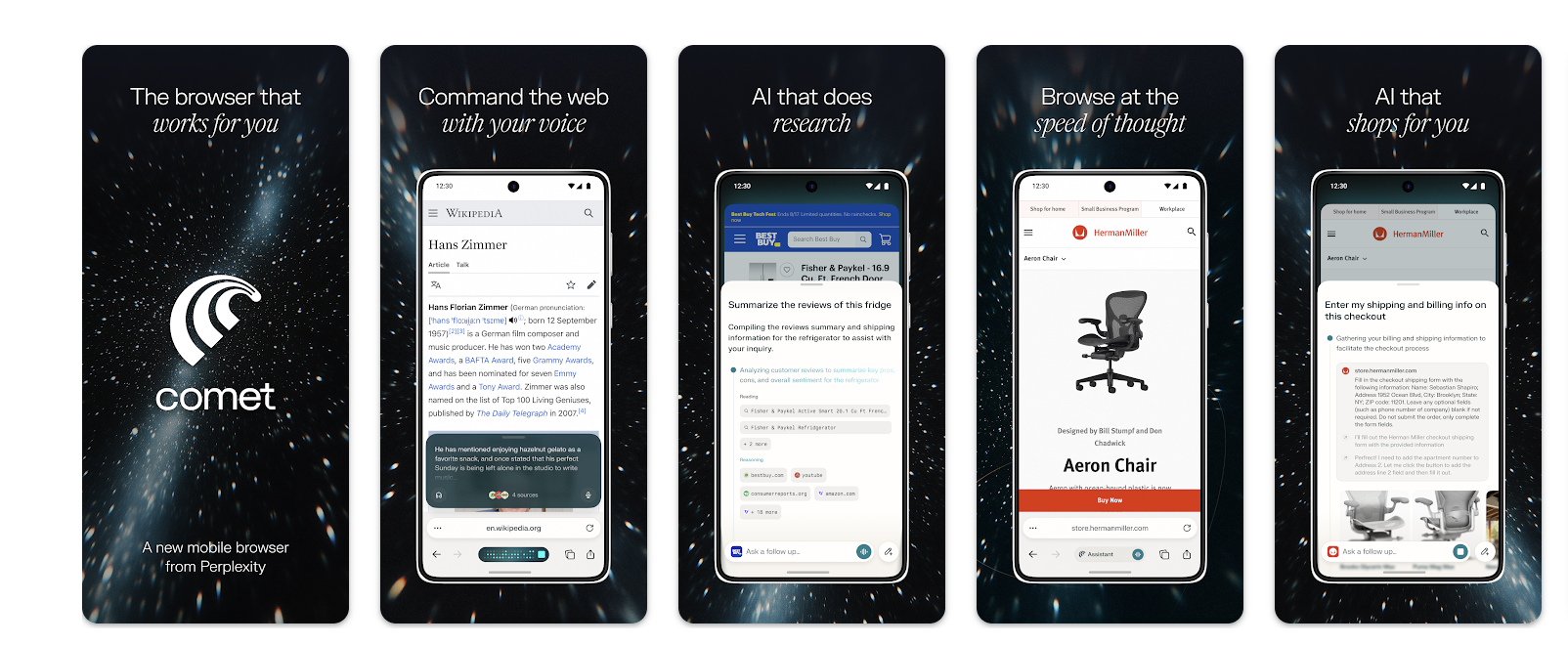
Perplexity’s new smart web browser, Comet, is now on Android! It started on desktop, but now you can use its powerful AI tools right from your phone.
Comet uses AI to help you browse the web in a new way—with voice commands, smart research, and help with shopping or planning. It’s like having a personal assistant built into your browser.
✨ Top features:
- Talk to your browser: Ask questions, get summaries, or take action—just by speaking.
- Smarter search: Summarize what’s in your tabs, keep track of tasks, and automate steps.
- Ad-free experience: Built-in ad blocker keeps things clean and focused.
- Easy on phones: Designed for speed, clean look, and smooth feel.
- Helpful actions: AI helps with research, schedules, and shopping by showing step-by-step guidance.
People love how smooth and smart Comet feels—but some want features like bookmarks and password saving (those are coming soon!).
Why Android first? Phone makers and carriers showed early interest, so Android got it first. But iPhone users—don’t worry, it’s on the way.
More updates are coming soon: smarter chat, faster tools, better privacy, and more ways to get things done quickly.
Comet is changing how we browse—faster, smarter, and made for the AI era.
Download Links:

From Boring to Brilliant: Training Videos Made Simple
Say goodbye to dense, static documents. And say hello to captivating how-to videos for your team using Guidde.
1️⃣ Create in Minutes: Simplify complex tasks into step-by-step guides using AI.
2️⃣ Real-Time Updates: Keep training content fresh and accurate with instant revisions.
3️⃣ Global Accessibility: Share guides in any language effortlessly.
Make training more impactful and inclusive today.
The best part? The browser extension is 100% free.
🎨 How to Get Amazing Images from Nano Banana Pro

Want to make stunning posters, diagrams, or concept art using AI? Nano Banana Pro in the Gemini app helps you do just that—if you know how to talk to it!
🧠 Build Strong Prompts—Use These Ingredients:
- Subject: Who or what is in the picture? (Example: “robot barista with blue eyes”)
- Composition: What’s the view? (close-up, wide angle, portrait, etc.)
- Action: What are they doing? (“brewing coffee”, “running mid-stride”)
- Location: Where is it? (“café on Mars”, “sunny meadow”)
- Style: Choose a look (“watercolor”, “photorealistic”, “film noir”)
- Edits: Want changes? Say so! (“make tie green”, “remove background”)
🔍 Want Pro-Level Results? Add These:
- Aspect Ratio: Pick size or shape (“vertical 9:16”, “wide 21:9”)
- Lighting & Camera: Set the mood (“golden hour shadows”, “low angle”)
- Text in Image: Add titles or labels (“bold Urdu headline at top”)
- Factual Visuals: Ask for accuracy in diagrams or posters
- Multiple Inputs: Tell it how to use each image you upload (“Image A = pose, Image B = outfit”)
🌍 Great with Languages (Including Urdu!)
Nano Banana Pro is excellent at generating images with readable text in many languages—like Urdu, Spanish, French, and more. Just write your prompt in the language you want, and it can add clear text right into the image!
💡 Creative Tricks to Try:
- Create multilingual posters or educational visuals
- Add logos or branding to packaging or shirts
- Control the lighting, focus, and angles for a polished look
- Combine up to 14 images to build consistent scenes or mockups
⚠️ A Few Things to Watch Out For:
- Very small text might look blurry
- Data charts may need checking for accuracy
- Translations could miss cultural meaning—double check
- Blending multiple images may cause visual glitches
- Faces or poses may shift slightly if edited again
Tip: Be detailed and specific in your prompts. Don’t be afraid to try a few variations—each edit brings you closer to your perfect image!
Gemini Arrives on Android Auto: AI Assistant for Your Drive
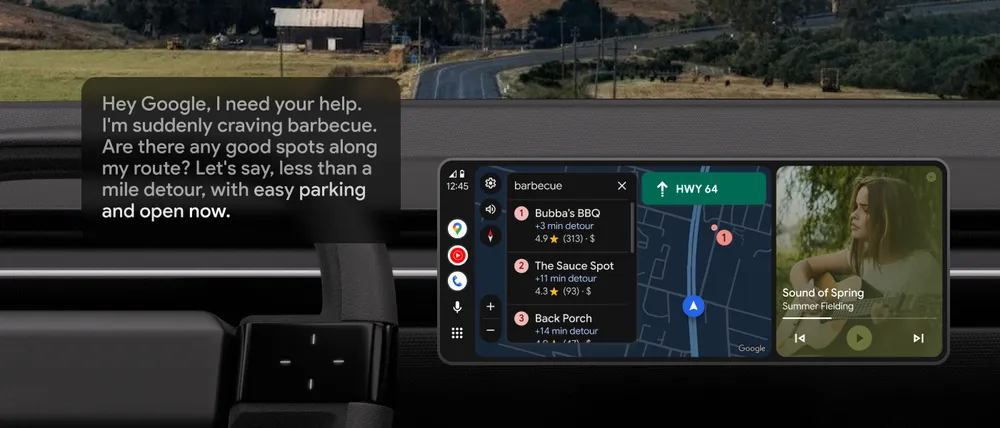
Google’s new smart helper, called Gemini, is coming to Android Auto. It brings hands-free help to over 250 million cars around the world.
Unlike the old Google Assistant, Gemini lets you talk naturally—like a real conversation. You don’t have to remember special commands anymore.
🚗 Here are 5 cool things Gemini can do in your car:
- Find stops along your route: Ask Gemini for nearby restaurants or stores. It’ll show reviews, hours, and directions right on your screen.
- Smarter texting: You can speak messages, edit them, and even translate into 40+ languages while you drive.
- Check your email & schedule: Get summaries of your Gmail, calendar events, or even hotel info—all without touching your phone.
- Play the right music: Ask for happy songs, focus playlists, or your favorite artist using Spotify or YouTube Music.
- Learn while you drive: Say “Hey Google, let’s talk live” to plan a gift, rehearse a speech, or learn about where you’re going.
Gemini now speaks 45 languages. Just update the Gemini app on your phone and say “Hey Google” in your car to try it.
Gemini makes every drive smarter, safer, and more fun!
Source: Google
Read More at GoogleBenchmark Your Voice AI

Deepgram surveyed 400 senior leaders on voice AI to map adoption, budgets, and use cases. Compare your voice AI roadmap to $100M+ enterprises and learn where to invest next - human-like agents for customer service, task automation, and order capture - plus benchmarks to guide your 2026 plan.
🎓 Free Oxford University Course — AI & Digital Transformation in Government
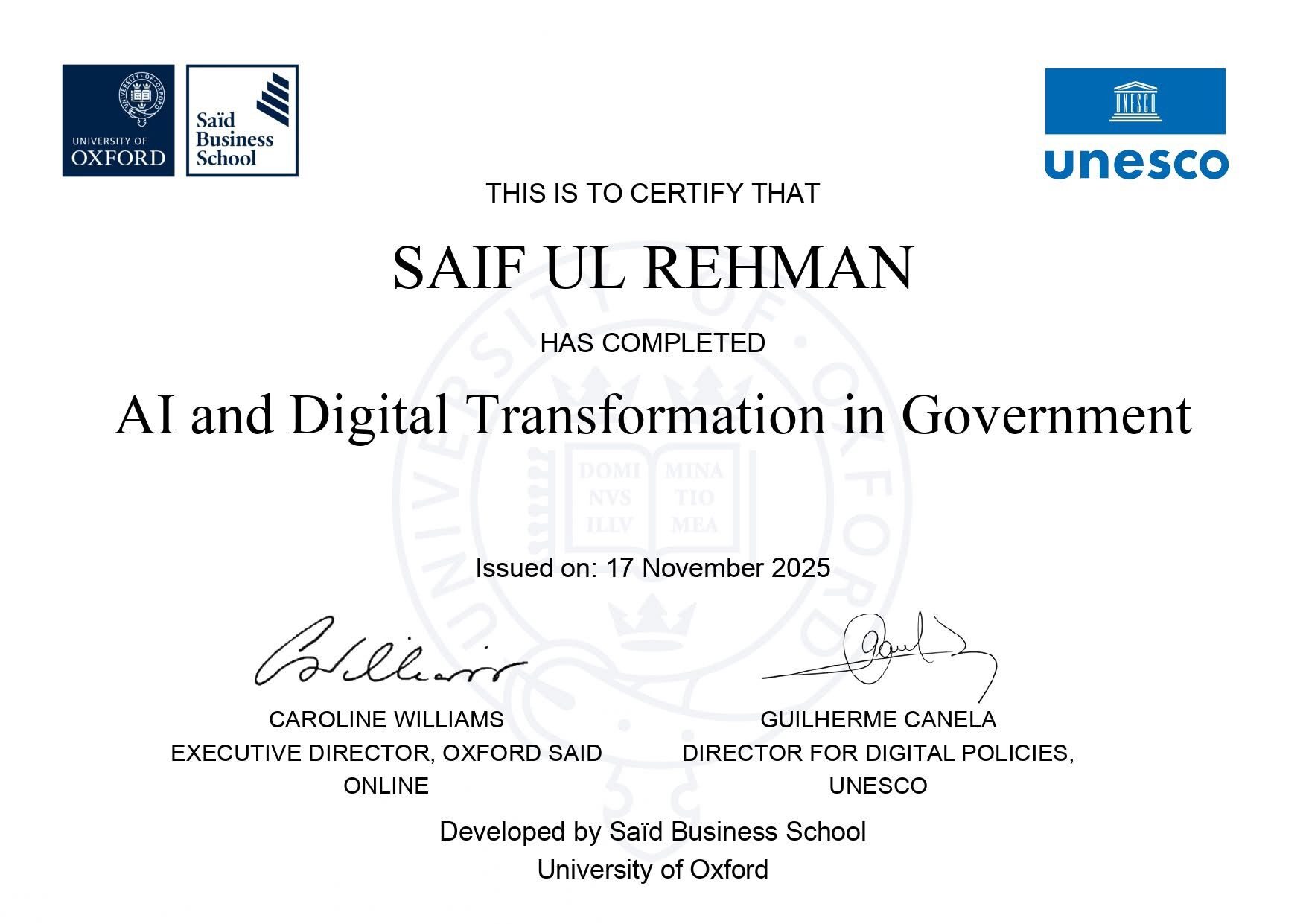
Learning AI isn’t just useful—it’s becoming essential. And now, you can level up with a course from one of the world’s most respected universities. The University of Oxford, in collaboration with UNESCO, is offering a free online program that teaches AI, digital transformation, and responsible leadership.
Some of our friends in the AI Viewer community have already completed it—and now it’s your turn to get recognized globally.
- Duration: ~12 guided hours (self-paced)
- Mode: Online
- Language: English
- Cost: Free (funded by UNESCO)
- Certificate: Digital Certificate of Completion from University of Oxford (Saïd Business School)
This course is ideal for:
- Public sector professionals and policymakers
- Leaders managing service delivery or innovation
- Professionals in digital transformation, data, ICT, legal or compliance roles
- Anyone interested in ethical AI, digital literacy or data governance
📝 How to Register:
- Click the button below or visit the official course link.
- Fill in the form with your basic information.
- After submitting, access is granted within 15–30 minutes via email.
Know someone who might benefit from this course? Share the link with your colleagues or team.

