
In partnership with

Gemini 2.5 Flash Image: The AI Photo Editor You Can Talk To
Is Gemini 2.5 Flash really Google’s Photoshop killer — or just hype? After testing it, we think it’s a game-changer. In this special edition, we’ll guide you step by step with real demos and copy-ready prompts you can try today. Think of it as your simple, clear Gemini playbook.
Why Gemini 2.5 Flash Matters
Google’s latest update isn’t just another AI tool. Gemini 2.5 Flash brings three superpowers together: editing everyday photos, keeping faces and characters consistent, and making creative new scenes from scratch. That’s why many are calling it a Photoshop + Midjourney hybrid — but easier to use.
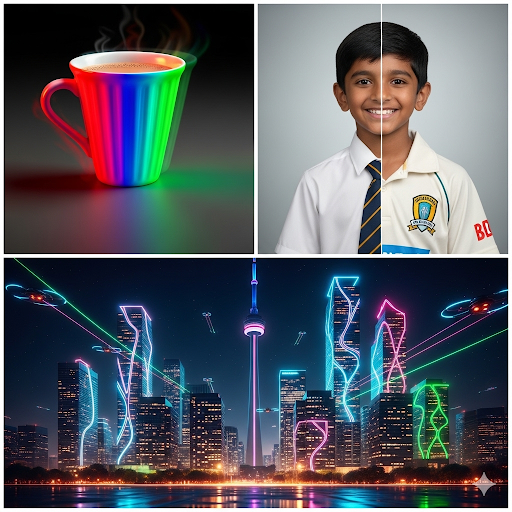
Example: Gemini can edit a chai cup into different colors, keep the same boy’s face across scenes, and even turn Toronto into a neon futuristic cityscape.
Consistent Characters — Even with Branding
One of Gemini’s biggest strengths is character consistency. You can keep the same face, outfit, and even branded clothing across different locations and moods. This makes it perfect for storytelling, product shots, or campaign visuals.
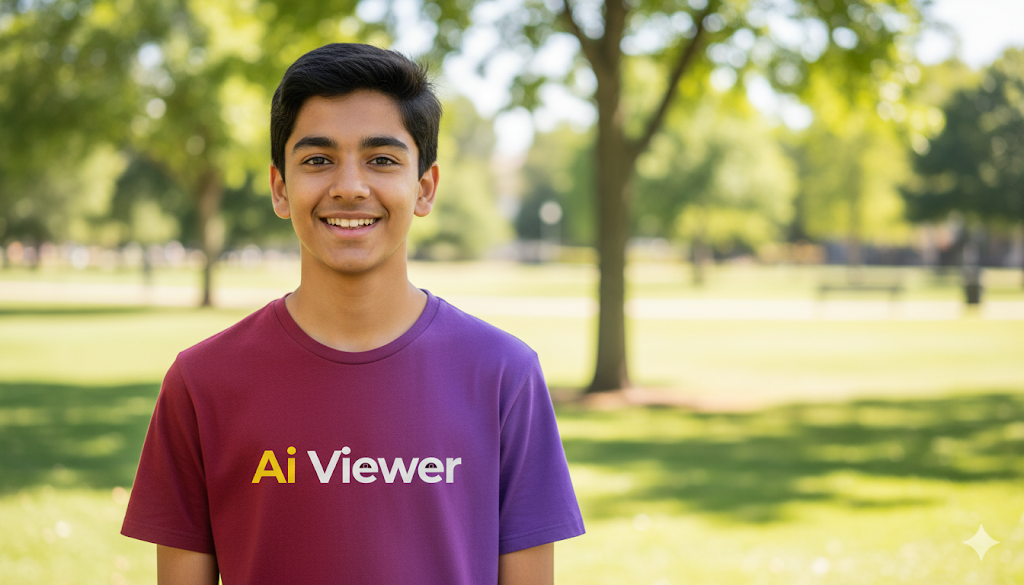


Example: The same Ai Viewer t-shirt design stays consistent across a park, a coffee shop, and Toronto’s skyline at sunset — all generated in one conversation with Gemini.
The World’s Most Wearable AI

Limitless is your new superpower - an AI-powered pendant that captures and remembers every conversation, insight, and idea you encounter throughout your day.
Built for tech leaders who need clarity without the clutter, Limitless automatically transcribes and summarizes meetings, identifies speakers, and delivers actionable notes right to your fingertips. It’s securely encrypted, incredibly intuitive, and endlessly efficient.
Order now and reclaim your mental bandwidth today.
Make Local Edits with Simple Prompts
Gemini lets you edit parts of an image step by step without restarting. Change colors, add logos, and tweak details using plain English.

Prompt: “A high-quality photo of a white ceramic chai cup on a wooden table.”

Prompt: “Change the cup’s color to deep red.”

Prompt: “Add the Ai Viewer logo clearly printed on the front.”
Tip: Keep edits in the same conversation so Gemini preserves viewpoint and lighting.


Blend Ideas into One Image
Gemini can fuse different images and styles. Here’s an example: we combined a Toronto street with Diwali night lights to create a festive city scene.

Base: Toronto street (day)

Style: Diwali festival lights

Fusion: Toronto street decorated for Diwali
Change Styles Instantly
With Gemini, you can transform the same portrait into different art styles. It’s like having a design studio in your pocket — great for inspiration, artwork, or even playful experiments.

Base: Original portrait

Style: Bollywood movie poster

Style: Watercolor painting
AI That Understands Cause and Effect
Gemini doesn’t just redraw pictures — it can predict what happens next. Here’s how it takes a simple action and shows the logical outcome.

Scene 1: Hockey player skating with puck

Scene 2: The same player slips and falls
AI voice dictation that's actually intelligent

Typeless turns your raw, unfiltered voice into beautifully polished writing - in real time.
It works like magic, feels like cheating, and allows your thoughts to flow more freely than ever before.
Your voice is your strength. Typeless turns it into a superpower.
How to Get Started
Ready to try Gemini’s image editor? Here’s a simple 3-step guide:
Step 1: Open Gemini
Go to the Gemini app or website and choose Images with Imagen from the tools menu.
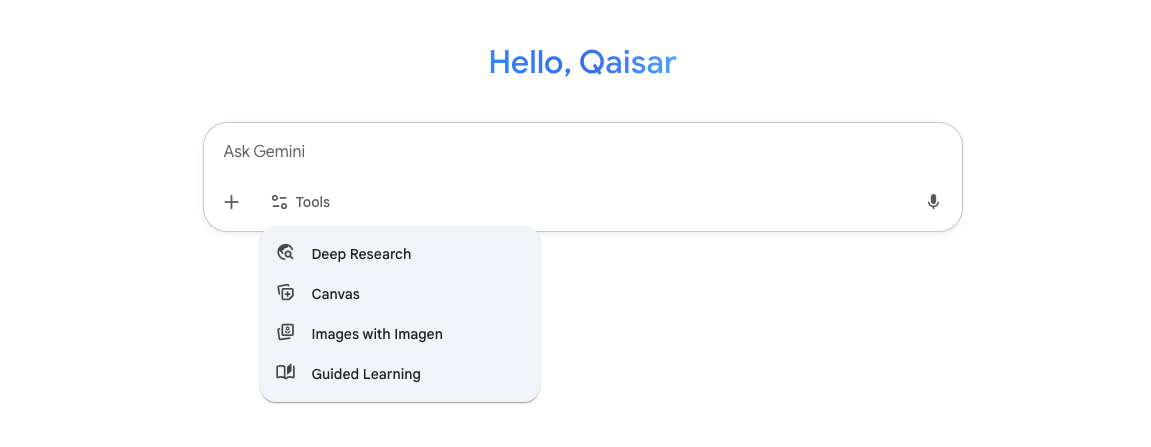
Step 2: Type a Prompt
Write what you want, or upload a photo to edit. Keep it simple, like: “Change the cup’s color to red.”
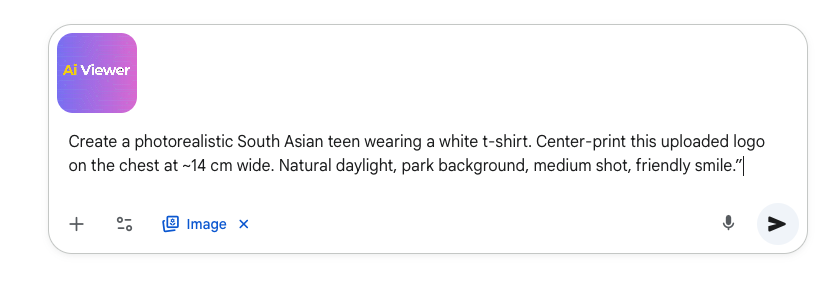
Step 3: See the Results
Gemini will generate your image in seconds. Refine with follow-ups like “Make the background a park at sunset.”
Get Google AI Certified — Free in Just 9 Hours
You can now earn two official Google AI certifications — completely free — in less than a day. Perfect for beginners or anyone curious about how AI really works.
- ✔ Google AI Essentials
- ✔ Google Prompting Expert
- ✅ 100% scholarship (normally $50)
- ⏳ Valid for 5 days after Coursera email arrives
- ⏱ Requires about 9 hours — many finish faster
No prior experience or coding skills needed — this offer is open to all Ai Viewer readers. Once enrolled, check your email from Coursera to begin.
Need help or want to share your badge? Visit aiviewer.ai/subscribe
🎁 Bonus: 10 Prompts to Try in Gemini 2.5
Want to experiment with Gemini’s new image editor? Copy and paste these prompts to see what happens:
- A photorealistic cup of chai in a rainbow-colored mug with steam rising.
- A South Asian teen wearing an Ai Viewer t-shirt in a coffee shop, smiling.
- Toronto skyline at night with neon lights shaped like circuit lines.
- A living room with a grey sofa — now change the sofa to navy blue.
- A chef holding a 3-tier cake — now show the cake falling mid-air.
- A mushroom fairy character standing in a forest — now riding a snail in a meadow.
- A motorcycle on a cobblestone street — re-render it as a pencil sketch.
- Portrait of a woman — convert to Bollywood poster style.
- Portrait of the same woman — convert to watercolor painting style.
- A hockey player skating with a puck — now slipping and falling on the ice.
Tip: Start with a clear description, then refine with follow-ups like “change background” or “make outfit traditional.”
Thanks for Reading Ai Viewer!
We hope this guide helped you see how powerful Gemini 2.5 Flash Image can be. If you enjoyed this edition, here are 3 quick ways to support us:
- 👉 Share this issue with a friend who loves AI
- 👉 Reply with your favorite prompt — we might feature it next time!
- 👉 Subscribe at aiviewer.ai/subscribe
Together, we’re making AI simple, fun, and useful. 💡