New Modes, Leaks & $500K Prizes — Welcome to AI December
New Modes, Leaks & $500K Prizes — Welcome to AI December
Inside: Gemini’s $500K hackathon, Deep Think mode, GPT‐5.2 leaks, and the viral image prompt remixing AI scenes.
Dec 6, 2025
•
1 min read
Welcome Back! Here's What Happened in AI While You Were on Holiday
Thought the AI world would slow down over Thanksgiving? Not a chance! While you were enjoying turkey and time with family, the AI industry kept moving at full speed.
Here are the highlights from just the past two weeks:
Claude Opus 4.5 launched by Anthropic
Kling O1 video editing model released
Kling 2.6 adds native audio support
Retake tool launched by Lightricks
Gen-4.5 video model unveiled by Runway
FLUX.2 model launched by BFL
Gemini 3 Deep Think now live for Ultra users
Workspace Studio by Google lets you build AI agents
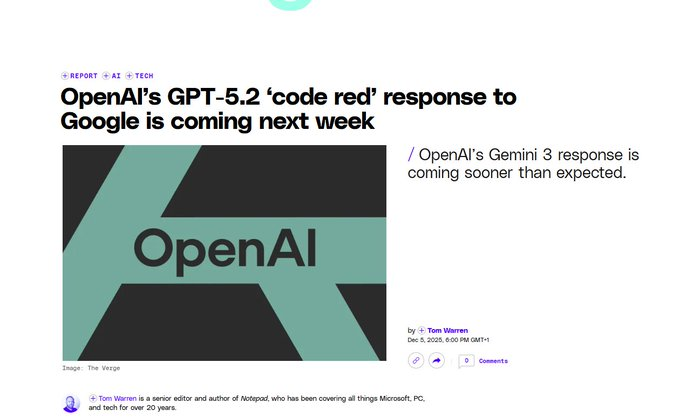
OpenAI Code Red alert issued internally
Garlic model teased (yes, that’s the name!)
OpenAI leaks show ads in chats being tested
Perplexity AI adds memory to conversations
DeepSeek rolls out V3.2 and Speciale models
Mistral 3 models now available
Suno x Warner Music announce major partnership
Stories feature launched by Character AI
NotebookLM introduces slide-deck creation
Some of these stories—like Gemini Deep Think and the $500K Google hackathon—are so exciting, we’ve broken them down in detail just below. 👇
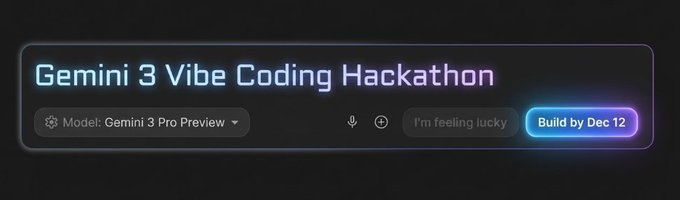
Build with Gemini 3 Pro in Google AI Studio
Google DeepMind is running a one‑week AI challenge from December 5–12, 2025. It’s called the “Vibe Code with Gemini 3 Pro” hackathon, and it’s open to anyone who wants to build smart apps using Gemini 3 in Google AI Studio.
Winners will share $500,000 in Gemini API credits!
Think of it like a science fair for AI. You give Gemini a prompt, and it helps build an app that actually works—with video, text, code, or even diagrams. If your idea helps in fields like education, health, or business, you could win big.
Multiple reports say OpenAI is preparing to launch a GPT‑5.2 upgrade around December 9 as a direct response to Google DeepMind’s new Gemini 3 models. It’s described as a “code red” situation, but there’s no official confirmation yet—everything is based on leaks from tech sites and insiders.
What reports say about GPT‑5.2
Several outlets mention that GPT‑5.2 is ready for release and could come as soon as early next week.
The update is framed as OpenAI’s first major answer to Gemini 3, which recently topped benchmarks and triggered internal urgency.
Expected focus of the update
Leaks suggest GPT‑5.2 aims to close Gemini 3’s lead in reasoning, coding, speed, and science tasks.
It may roll out in stages—internal testers first, then partners, followed by public ChatGPT/API deployment.
How solid is this information?
Many sources refer back to a “code red” memo reportedly from OpenAI, covered by major tech journalist reports.
Until OpenAI issues an official announcement, treat this as well‑sourced but unofficial news — plans could still change.
🎓 AI Tutorial: Exploring Angles & Styles of the Same Image
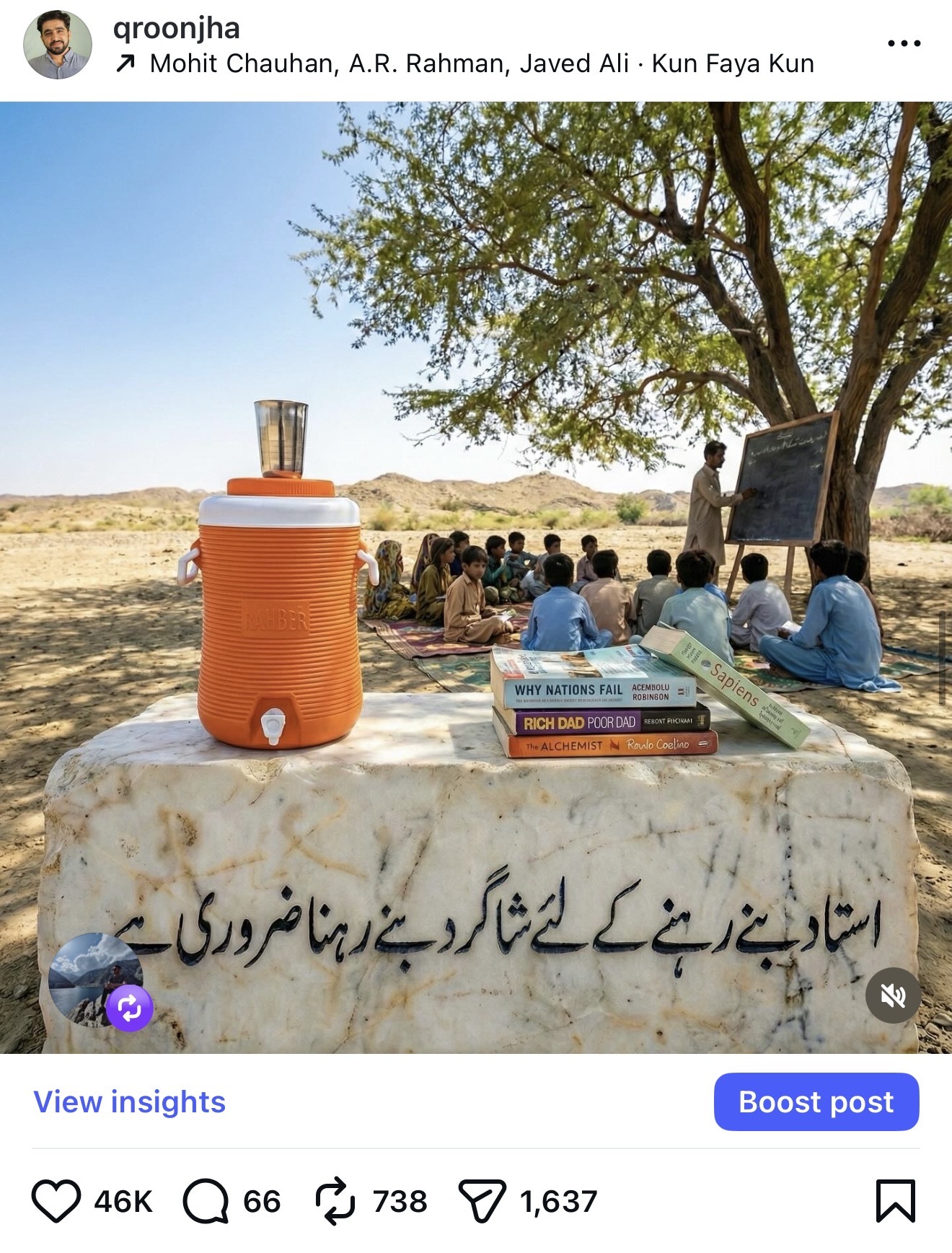
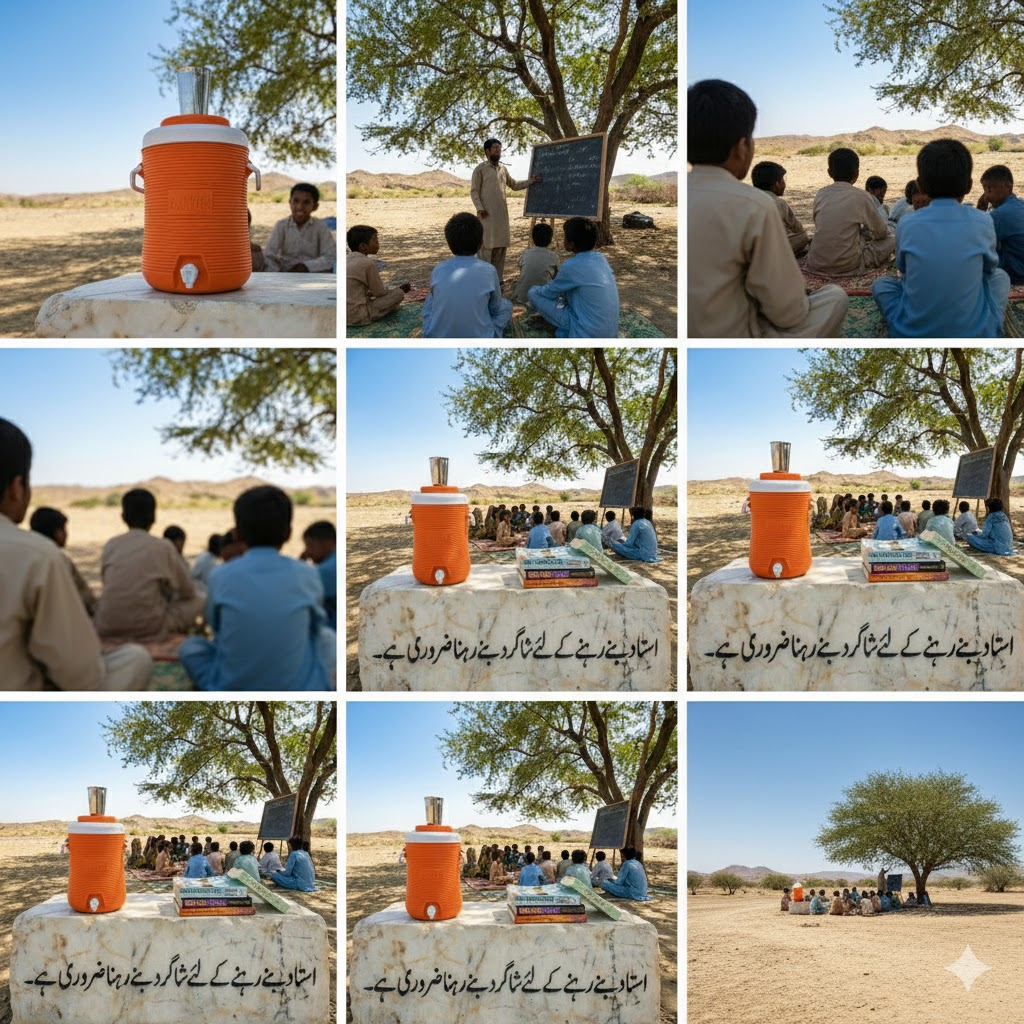
Using a single scene, you can generate multiple cinematic perspectives with AI — from drone views to close‑ups. Here’s how I did it, and how you can try it yourself.
🧠 Original Prompt That Created the Scene
A wide‑angle landscape photograph capturing an open‑air desert school in rural Pakistan. In the immediate foreground is a large, weathered white marble block with the black Urdu calligraphy 'استاد بنے رہنے کے لئے شاگرد بنے رہنا ضروری ہے۔' engraved upon it. Resting on the marble is a vibrant orange 'Rahber' water cooler with a metal cup on top, and a stack of four well‑worn books: 'Why Nations Fail', 'Rich Dad Poor Dad', 'The Alchemist', and 'Sapiens'. In the midground, under the expansive shade of a large acacia tree, a male teacher in traditional shalwar kameez writes on a wooden blackboard, instructing a diverse group of children seated on patterned mats. The background is a vast, arid desert landscape with rolling hills under a clear blue sky. The sunlight is bright and natural, highlighting the textures of the marble, sand, and foliage.
📸 More Angle & Style Prompts to Try
🔺 Drone View:Show the exact same scene from a drone’s aerial view directly above the subject.
🔄 360° Rotate:Render the same scene in a full 360° spin around the subject, changing viewpoint smoothly.
🔁 Reverse Shot:Create the scene from the opposite direction — what’s behind the original viewpoint.
🔳 Top‑Down / Overhead:Generate a top‑down cinematic view of the full setup with dramatic lighting.
🎥 Wide Lens Focus:Render the scene using a wide 14 mm lens for maximum environment immersion.
👁️ POV View:Create the scene as seen from the main character’s eyes (first‑person perspective).
🔍 Zoom Detail:Focus tightly on one object in the scene (the water cooler, books, or marble) using a macro lens.
📽️ Cinematic Bars:Reformat the image to 21:9 cinematic ratio with black letterbox bars and moody grading.
🌅 Time of Day Shift:Render the scene at a different time — golden hour, sunset or night — while keeping composition constant.
Feel free to attach your own image and run any of these prompts in your favorite AI tool. Different angles and styles can totally change the mood — and often make the same scene feel fresh and cinematic.
💡 What would you love to see more of?
Just hit reply to this email — I'd genuinely love to hear what AI topics, tutorials, or tips you'd like us to explore next.
Urdu Ai
Urdu AI Updates — The fastest-growing AI newsletter in Urdu, bringing the latest AI tools, trends, and insights to Urdu speakers worldwide. Part of the 1 million+ strong Urdu AI community.
Ai for GCC
AI for GCC is a FREE newsletter uncovering how artificial intelligence is transforming business, innovation, and policy across the Gulf. Discover real opportunities, regional AI trends, and practic...